The Guide
The Guide is the part of a Web Agent that teaches people to use your app. It answers "where is" and "how do I" questions, takes the user to the right screen and points at the element to select. The user makes every selection. The Guide never acts on their behalf.
How it works
Faustine learns your app ahead of time, from its source code, and writes what it finds into an app map. When a user sends a message, the widget adds the structure of the page they are on. With the map and that page, the agent answers in one step. If the answer is somewhere in the app, the answer includes a plan of up to 5 steps.
The browser runs the plan. It goes to the screen, finds the element, draws a pointer on it with one line of explanation, and moves to the next step when the user acts. The user ends a plan with Stop or the Escape key.
Choose what the agent is for
You choose the agent's goal when you create it.
| Goal | What the agent does | What Faustine builds |
|---|---|---|
| Teach people to use the app | Guides. It has no actions. | The app map |
| Get the work done for them | Runs your app's actions for the user. | The actions |
| Both | Does the work when asked, and shows the way when the user wants to do it themselves. | The actions and the app map |
You can add the other half later. To add the Guide to an agent that has actions, see Teach your agent the app. To add actions to an agent that only guides, see Add actions to a Guide-only agent.
The app map
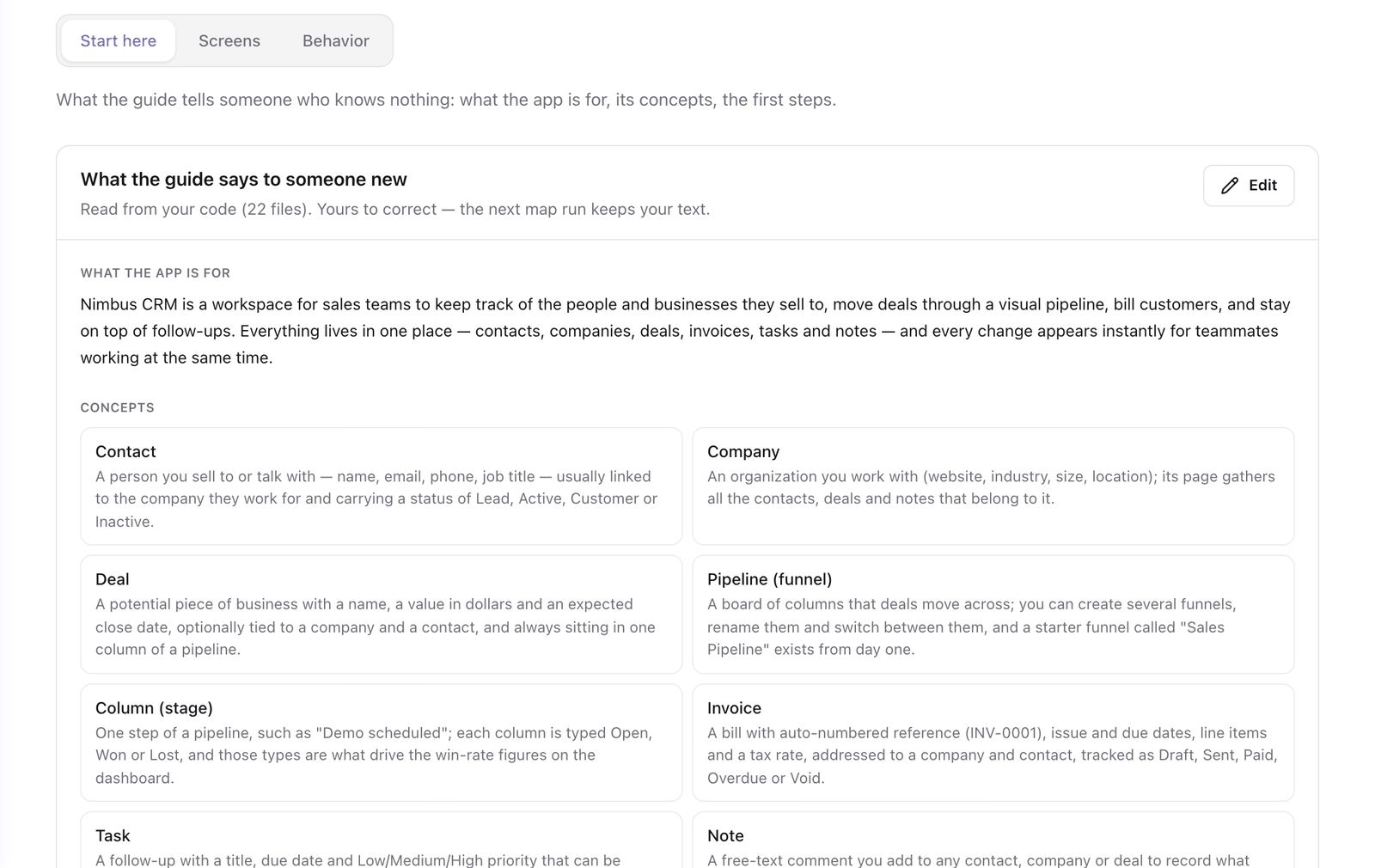
The map has three parts. You read and edit them in the agent's Guide tab.
| Part | What it holds | Where |
|---|---|---|
| Orientation | What the app is for, its concepts, and the first steps for a new user. | Start here |
| Screens | Every route and the surfaces that hang from it (tabs, dialogs, panels, wizard steps): what each is for, how to reach it and what is on it. | Screens |
| Tasks | What users do on a screen, with the steps the Guide says. | Screens, under each screen |
A map run writes the map. It reads the repository and the references you added, runs on your model provider like an analysis, and takes a few minutes for a small app. The run starts by itself when you create an agent with the goal Teach people to use the app or Both.
The map is saved in the draft. Your users get it when you publish a version and deploy it.
When an update reads new code, it reads again the screens whose source changed and keeps your edits. A screen the update could not read again is marked stale, and Refresh reads that screen only. See Edit screens and first steps.
What the agent reads from the page
With Know the current page on, each message carries the route, the headings, the navigation and the buttons of the user's screen. It is structure only. Field values and table contents never leave the page.
The switches that control this are in Guide behavior.
What to know before you turn it on
| Consideration | Description |
|---|---|
| The Guide does not read your app's data | When a question needs data it cannot see, it says so and tells the user where to look. |
| The map costs tokens | A map run is billed by your model provider like an analysis. |
| Map edits need a publish, switches do not | Edits to the map are changes to the draft and need a publish. The switches under Behavior apply without one. |
| An agent that only guides has no Generative UI tab | It answers in words and with the pointer. |
Next steps
- Teach your agent the app: map Nimbus CRM and watch the agent point at a button.
- Edit screens and first steps: correct what the map run wrote.
- Guide behavior: what each switch does.
- Add actions to a Guide-only agent: let the agent do the work too.
Last updated November 13, 2026