Agent Gateway
Agent Gateway serves the operations of your APIs to AI clients at one URL, over MCP and REST. You decide which operations are served, who can call them, and what happens when a call writes. Gateways are listed under Agent Gateway in the portal.
How it works
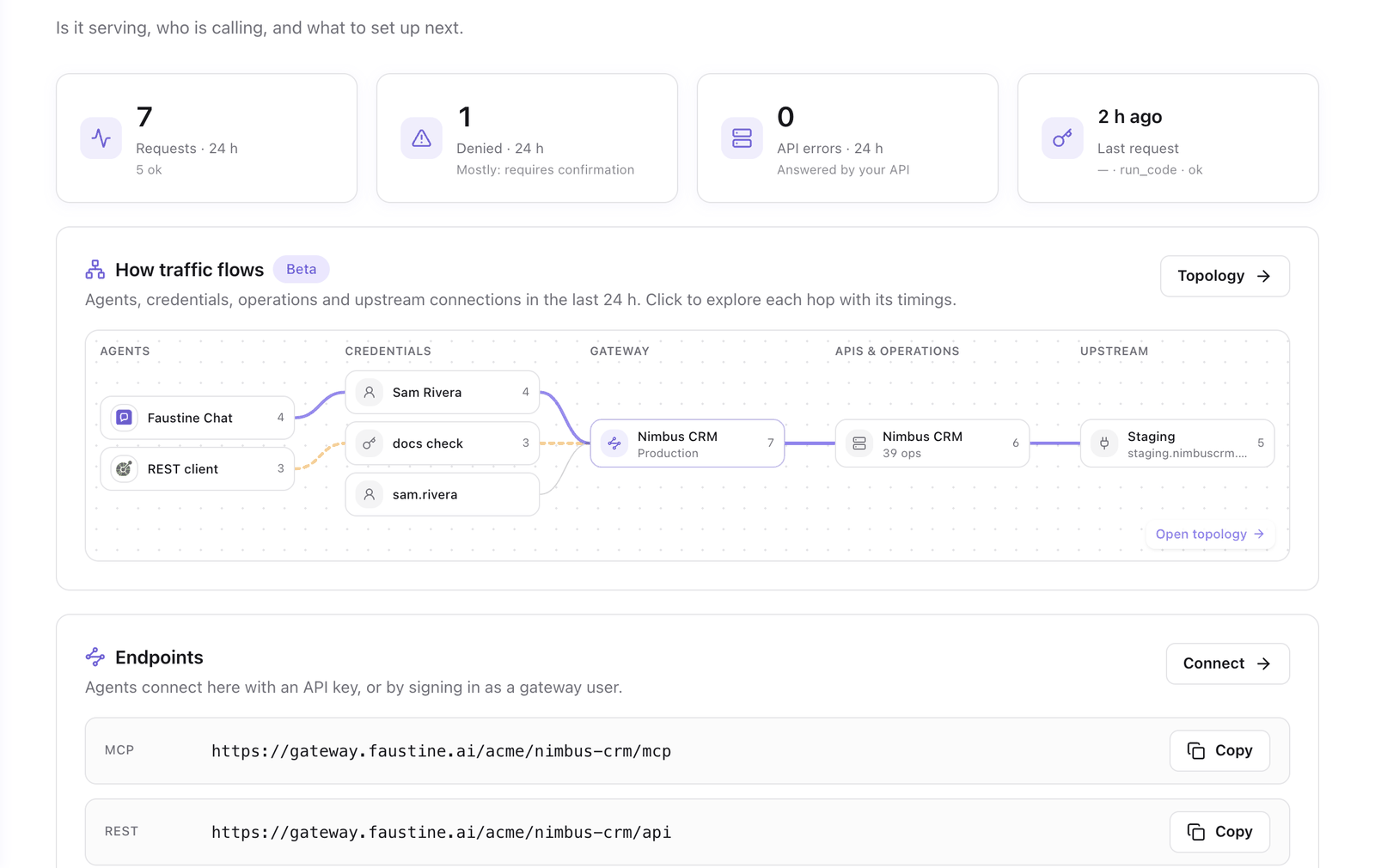
A gateway serves one or more APIs that Faustine has analyzed. Each operation of those APIs becomes something a client can call. The gateway does not hold your data. It receives a call, checks it against the credential and the environment's policies, calls your API through a connection, and returns the response.
Every gateway has its own address:
https://gateway.faustine.ai/<workspace>/<gateway>/mcpThe same address serves a REST mirror at /api, an OpenAPI document at /openapi.json, an API reference at /docs and a SKILL.md file at /skill.md. The Gateway HTTP reference lists every URL.
A client authenticates with one of two credentials. An API key is a bearer token for automations and code. A gateway user is a person who signs in from their client with a username and a password. Each credential has its own scope, its own behavior for operations that require confirmation, and its own limits.
Build a gateway
For the decisions behind the steps, see Give your team's AI clients access to an internal API.
- Create a gateway: the wizard that names the gateway, picks its APIs and creates a first credential.
- Add an API to a gateway: serve another API, pin its version and pick its connections.
- Choose which operations are exposed: hide the operations clients should not see.
- Routing: fixed, dynamic and fan-out: what the gateway does when an API has more than one connection.
- Set gateway variables: values that recipes read at run time.
Give access
- Create an API key: for n8n, the Claude Messages API and your own code.
- Create a gateway user: for a person using Claude, ChatGPT, Cursor or the CLI.
- Scope a key or user: limit a credential to some operations, to reads, or to some connections.
- Connect clients: the setup for each client.
Control behavior
- Serving modes: Code and Tools: how operations are presented over MCP.
- Confirmation: operations that wait for a person, and how to set it for a credential.
- Repeated writes: a write that a client sends twice reaches your API once.
- Limits and quotas: rate, quota, concurrency and size limits, and their defaults.
- Restrict access by IP address: allowlists, blocklists and blocked countries.
Work in more than one environment
- Environments: Production and the ones you add, each with its own URL, policies and credentials.
- Promote from one environment to another: copy the configuration of one environment onto another.
Next steps
- Publish your API as an MCP server: the whole path on the Nimbus CRM example.
- Concepts: the terms Agent Gateway uses and where each setting lives.
- Logs: every request a client made through a gateway.
Last updated November 13, 2026