Create an API key
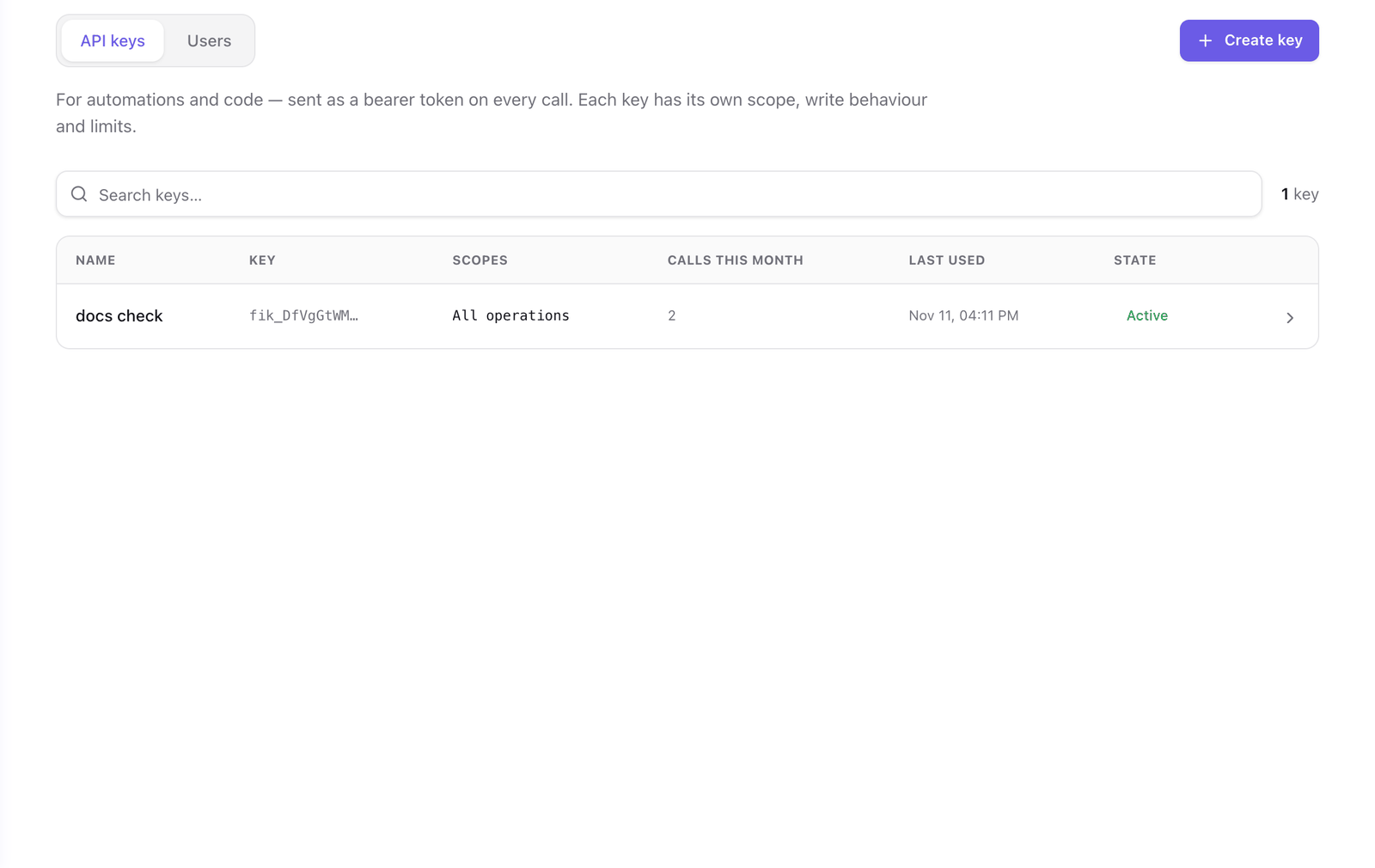
An API key is a credential for an automation or for code. The client sends it as a bearer token on every call. Use a key for n8n, the Claude Messages API, REST calls and scripts. For a person who uses a chat or coding client, create a gateway user instead.
A key belongs to the environment it was created in. On any other environment it is refused like a key that does not exist.
Create a key
To create an API key:
- In the portal, go to Agent Gateway and select your gateway.
- Check the environment button in the header. The key will work on the environment it names.
- Select the Access tab, then API keys, then Create key.
- Under Name, enter who or what uses the key, such as
n8n prod. The name identifies the key in Logs and in Topology. Select Continue. - Under Scope, leave Everything (*) or select the operations the key can call. To refuse every write, turn on Read-only. Select Continue.
- Under Behavior, choose what the key does with operations that require confirmation. A new key starts on Refuse. Select Continue.
- Under Limits, set limits lower than the environment's, or leave the fields empty to use the environment's.
- Select Create key.
A dialog shows the key once. It starts with fik_. Copy it and store it in your secret manager. Faustine keeps only a hash and cannot show the key again.
Use the key
Send the key in the Authorization header. <GATEWAY_KEY> is the key you copied.
curl https://gateway.faustine.ai/<workspace>/<gateway>/openapi.json \
  -H "Authorization: Bearer <GATEWAY_KEY>"
The gateway's Connect tab has a snippet for each client with your URL filled in. See Connect clients.
Rotate a key
Rotating issues a new key and keeps the old one working for a grace period, so you can deploy the new key before the old one stops.
To rotate a key:
- In Access > API keys, select the key.
- Select Rotate.
- Enter the Grace period (hours). With
0, the current key is revoked immediately. - Confirm, and copy the new key from the dialog.
Revoke a key
Select the key, then Revoke. Clients that use the key are rejected immediately. A revoked key cannot be restored.
Troubleshooting
| Symptom | Cause | Fix |
|---|---|---|
401 with Invalid API key |
The key belongs to another environment or another gateway, or was mistyped. | Use the URL of the environment the key was created in. |
401 with API key revoked |
The key was revoked. | Create a new key. |
401 with API key rotated and its grace period has ended |
The client still sends the key that was rotated out. | Deploy the new key. |
403 with requires_confirmation |
The operation requires confirmation and the key is set to Refuse. | See Set how a credential confirms writes. |
Next steps
- Scope a key or user: narrow what a key can call.
- Limits and quotas: what each limit does and its default.
- Call a gateway over REST and OpenAPI: call operations with the key.
- Gateway HTTP: headers, response shape and errors.
Last updated November 11, 2026