Serving modes: Code and Tools
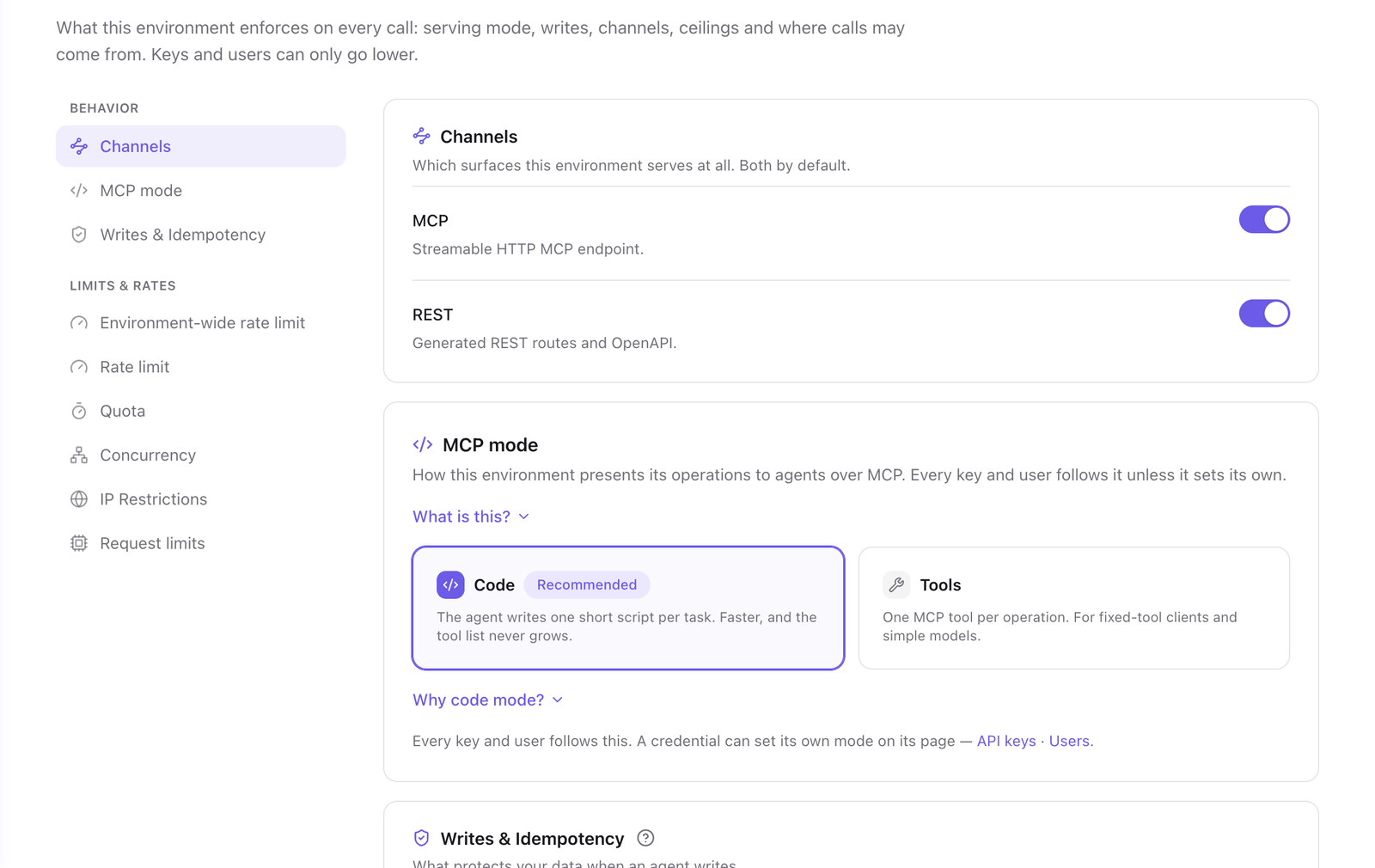
A serving mode is how a gateway presents its operations to an MCP client. In Code mode the client gets three tools and writes a short script per task. In Tools mode every operation is its own MCP tool. The mode is set per environment in the gateway's Policies tab, under MCP mode, and a key or user can set its own.
Code mode is the default and the recommended mode.
Code mode
The client gets three tools.
| Tool | What it does |
|---|---|
search_operations |
Searches the operations the credential can call by keyword and returns their TypeScript signatures. |
get_operation |
Returns the input and output schema of one operation, and whether it reads, writes or requires confirmation. |
run_code |
Runs a JavaScript script that calls operations through sdk. |
The model looks up the operations it needs, reads their schemas, and writes one script for the task. The script is the body of an async function. It calls an operation by its key and returns a value that can be serialized as JSON:
const deals = await sdk.crm.deals.list({ stage: 'won' })
const total = deals.items.reduce((sum, d) => sum + d.amount, 0)
return { count: deals.items.length, total }
Several calls, filters and sums happen in one tool call, so the intermediate results do not pass through the model. The tool list stays at three tools whatever the number of operations. A credential set to Ask the person, on a client that shows the confirmation card, gets a fourth tool, review_pending, which shows the card.
The script runs in an isolated sandbox with no network access and no require. Lines written with console.log are returned with the result. Every sdk call goes through the same checks as any other call: the credential's scope, read-only, confirmation and limits.
| Sandbox limit | Value |
|---|---|
| Run time | 30 seconds |
| Memory | 128 MB |
| Operation calls per script | 200 |
| Result size | 1 MB |
An environment or a credential can lower the first three. See Limits and quotas.
Tools mode
Every operation in the credential's scope is one MCP tool, and the tool list is the catalog. The tool for crm.contacts.create is named crm_contacts_create.
Choose Tools mode for a client that cannot write and run a script: a workflow node with a fixed tool, or a client where you allow tools one by one. With a large API, every operation is in the model's context at once, and a task of several steps takes one round trip per call.
Set the mode
To set the mode for an environment:
- In the portal, go to Agent Gateway and select your gateway.
- Select the Policies tab.
- Under MCP mode, select Code or Tools.
- Select Save changes.
To set it for one key or user, open the credential from the Access tab and, under MCP mode, select Code or Tools instead of Gateway default. The MCP mode section of the Policies tab lists the credentials that differ from the environment.
A client reads the tool list when it connects. After a change of mode, reconnect the client.
What the mode does not change
REST is not affected. Every exposed operation in the credential's scope is reachable at …/api/<namespace>/<operation> in both modes. See Call a gateway over REST and OpenAPI.
Confirmation works in both modes. In Tools mode the person approves one call. In Code mode a script that reaches operations requiring confirmation pauses once, and the person approves them together. See Confirmation.
Next steps
- Confirmation: what a person sees when a script or a tool call needs approval.
- Limits and quotas: the sandbox limits and how to lower them.
- Connect clients: add the gateway to an MCP client.
Last updated November 13, 2026