Recipes
A recipe is an operation that makes several calls to your API in one step. It is a short JavaScript script with its own input schema, and it lives in the Recipes tab of the API. Once you accept a recipe, agents call it by key like any other operation.
How it works
A recipe's code is the body of an async function. It receives input, calls the API's operations through sdk, and returns the result.
const company = await sdk.crm.companiesCreate({ name: input.companyName })
const contact = await sdk.crm.contactsCreate({
  first_name: input.firstName,
  last_name: input.lastName,
  company_id: company.id,
})
return { companyId: company.id, contactId: contact.id }
The gateway runs the script when an agent calls the recipe. Each sdk call inside it goes through the same checks as a direct call to that operation.
What the code can use
| Name | What it is |
|---|---|
input |
The recipe's input. |
sdk.<namespace>.<operation>(input) |
One operation of this API. The name is the operation key in camel case: companies.create is companiesCreate, deals.get-by-id is dealsGetById. It returns a promise of the operation's response. |
sdk.env.<KEY> |
A variable of the gateway environment the recipe runs under, as a string. A key that is not defined fails the run. See Set gateway variables. |
sdk.$http.request({ method, url, headers, body }) |
A raw HTTP request, allowed only to a URL that a previous sdk call returned. It resolves to { status, headers, body }. |
A recipe calls operations of its own API only. fetch, require, import and process are not available. The editor completes sdk. and input. from the API's schemas and reports a call that matches no operation.
Where recipes come from
| Source | How |
|---|---|
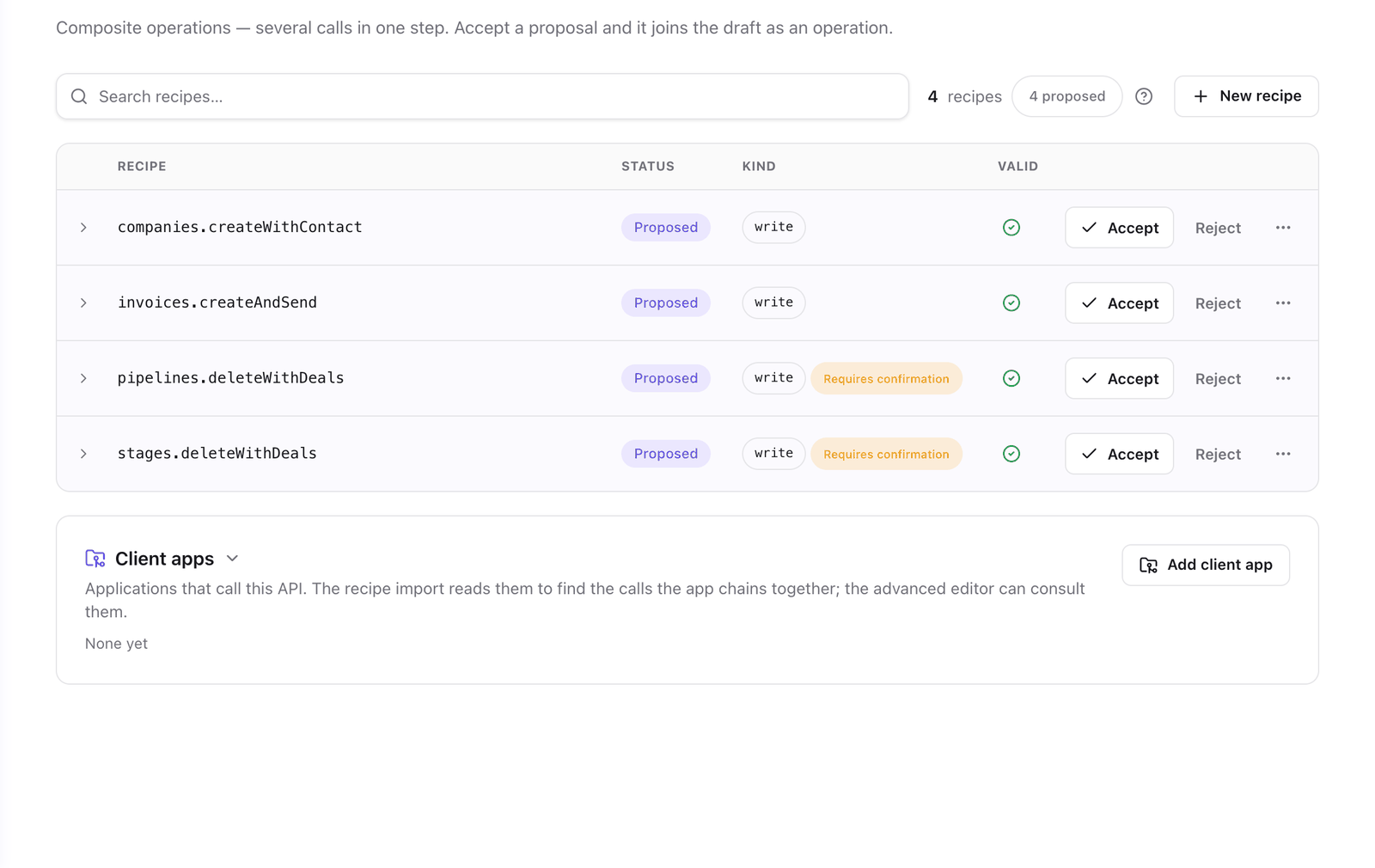
| The analysis | It proposes recipes when the code shows calls that belong together. |
| AI-Assisted | You describe what the recipe does and Faustine drafts it. See Write your first recipe. |
| Import from client code | Faustine reads an application that calls the API and proposes the sequences it finds. See Import recipes from client code. |
| Full-Dev Mode | You write it in the Advanced editor. See The AI editor. |
The last three are the options of New recipe in the Recipes tab.
Status
| Status | Meaning |
|---|---|
| Proposed | A draft waiting for your decision. It is not an operation. |
| Accepted | A composite operation of the API's draft. It is served after you publish the next version. |
| Rejected | Kept in the list, without its saved versions, and not offered as an operation. You can accept it later. |
To decide on a proposal, see Accept or reject a proposed recipe.
An accepted recipe is not exposed automatically. Each gateway chooses whether it serves the operation. See Choose which operations are exposed.
Kind and confirmation
A recipe has no kind or confirmation setting of its own. It is a write if any operation it calls is a write, and it requires confirmation if any of them does. To change either, change the operations it calls.
The recipe editor
Selecting a recipe opens its editor. It has three files:
| File | Content |
|---|---|
| Code | The summary agents read, an optional description, and the script. |
| Input schema | A JSON Schema for input. Agents see it as the operation's parameters. |
| Output schema | What the recipe returns. Leave it empty if unknown. |
And three side panels:
| Panel | Use |
|---|---|
| Faustine AI | Ask for a change to the code in conversation. |
| Test | Run the recipe against a connection and see the result, the console output and each step's call. |
| History | Every saved version of the recipe. You can open an earlier version and restore it. Rejecting a recipe deletes its history. |
Validate checks the code without running it. Save runs the same check first and does not store code that fails it.
What to know before you edit an accepted recipe
| Consideration | Description |
|---|---|
| Saving changes the draft | Save on an accepted recipe stores it in the API's draft. Clients get the change when you publish the API. |
| Deleting takes effect on publish | Deleting an accepted recipe removes its operation from the draft. Gateways keep serving it until you publish the next version. |
| Tests are real calls | The Test panel calls your API through the connection you select. |
Next steps
- Write your first recipe: create, test and accept a recipe on the example app.
- Import recipes from client code: get proposals from the application that already calls your API.
- Accept or reject a proposed recipe: decide what agents get.
- Operations: the operations a recipe can call.
Last updated November 13, 2026