The analysis
The analysis is the run that turns your backend into an API in Faustine. It reads the code, and a spec or the live service when you provide one, and writes what an agent needs in order to call each operation. It runs when you create an API, when you re-analyze it, and in a shorter form when the code changes.
How it works
The analysis starts when you select Create & start analysis in the New API wizard. For a REST API with a repository it runs in stages: it clones the repository, discovers the operations and how a client authenticates, and proposes a kind and a confirmation flag for each operation.
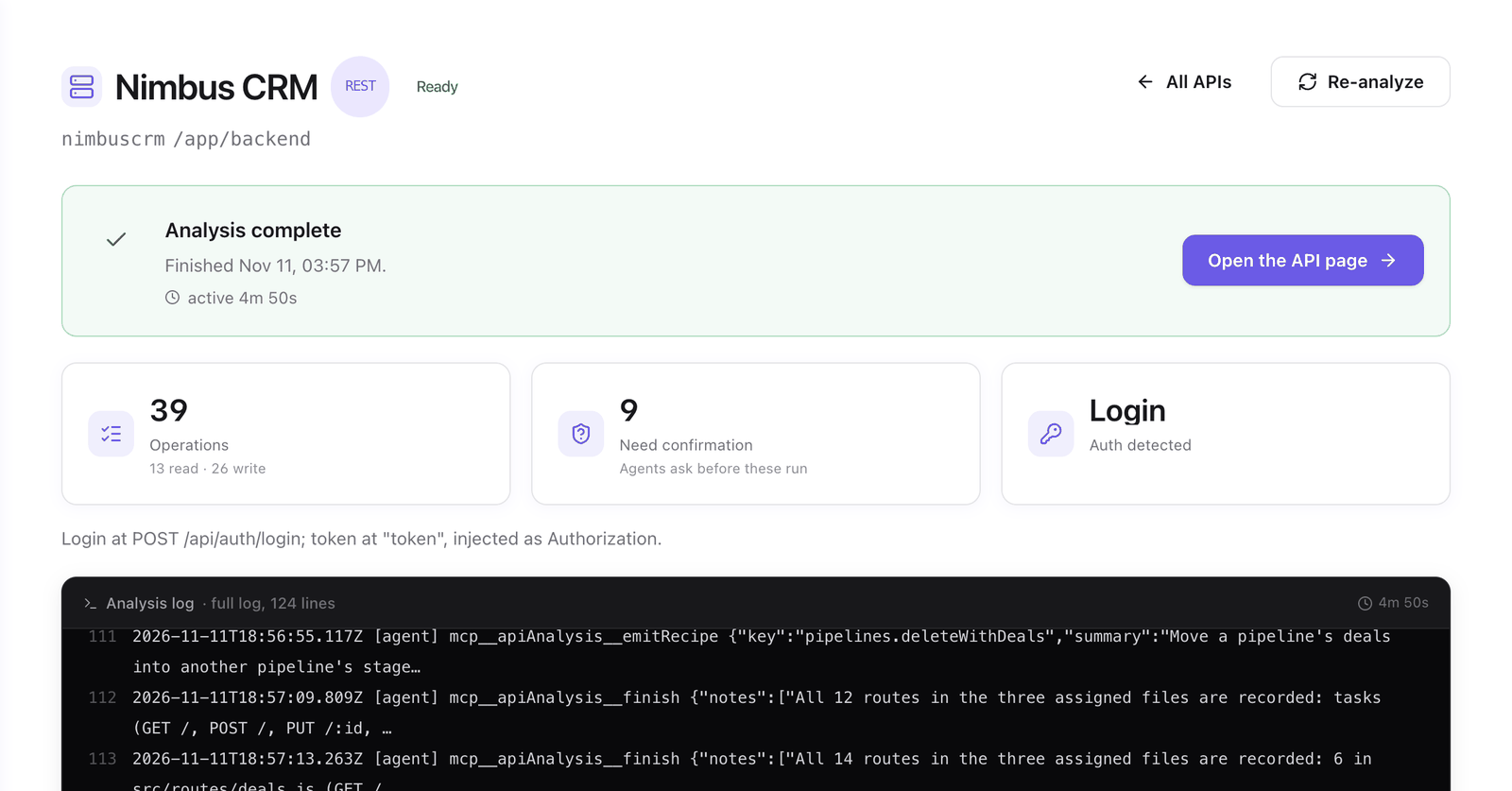
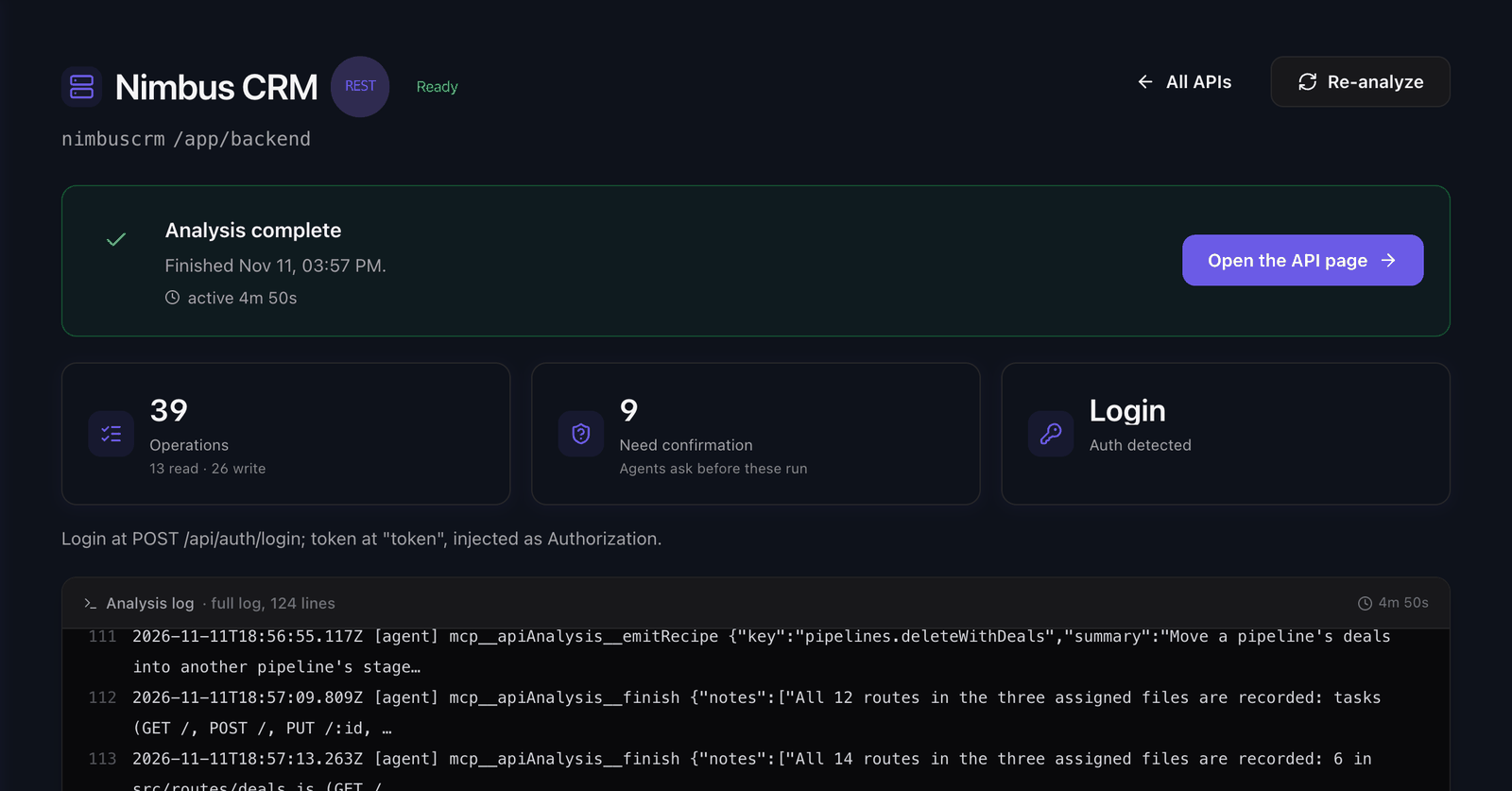
The analysis page shows the stages, a status line and the log. You can leave the page and the run continues. When it finishes, the page shows how many operations it found, how many are reads and writes, how many need confirmation, and the sign-in it detected.
The analysis runs on your workspace's model provider. Its token usage grows with the size of the code. See Model providers.
What it reads
| Source | Used for |
|---|---|
| A repository on GitHub, GitLab or Bitbucket | REST, GraphQL and gRPC. For a monorepo, the folder of the API. |
| A ZIP of the code | The same, when the repository cannot be connected. |
| An OpenAPI or Swagger file | REST. Routes and schemas come from the file, rules and authentication from the code. |
| Introspection, an SDL file or introspection JSON | GraphQL. See Create a GraphQL API. |
Server reflection or .proto files |
gRPC. See Create a gRPC API. |
| Analysis notes | Free text that the analysis reads before the code: vocabulary, routes to skip, unusual error handling. |
What it writes
- Operations. One for each route, query, mutation or unary method, with a key, a summary, a request schema and a response schema.
- Kind. Each operation is a read or a write.
- Requires confirmation. The analysis turns it on for the writes it considers destructive. Review these first. The Overview tab lists them under To review.
- The sign-in. How the backend authenticates clients. It appears as a suggestion in the Authentication tab. See Authentication.
- Hidden operations. Login, token refresh and similar routes are listed under Hidden (auth endpoints) and are never exposed to agents.
- Deprecated operations. Operations the code or the spec marks as deprecated. New gateways do not expose them by default.
- Proposed recipes. Sequences of calls that belong together. See Recipes.
- The description. A text about what the API is and what an agent can do with it. It is the first thing an agent reads. Edit it in Settings > Identity.
For an API that is one service, a finished analysis publishes a version. For an API made of several services, the result stays in the draft until you publish.
Re-analyze
Re-analyze in the Actions menu runs the full analysis again over the current code.
| What | After a re-analysis |
|---|---|
| Your edits to kind and confirmation, and accepted recipes | Kept. Operations are matched by method and path. |
| Summaries, schemas and the detected sign-in | Refreshed from the code. |
| Operations that no longer exist | Removed. |
| Version | The next version is published when the run finishes. Gateway environments that follow the latest version switch to it. Pinned environments do not change. |
Use current analysis as context is on by default. It keeps names and summaries consistent with the previous run. Turn it off to discover the API from scratch. The wording of summaries can change.
If you only pushed new code, use Check for updates instead. It runs an update only when the API changed. See Keep the API up to date.
Give the analysis context
Settings > Analysis notes holds the text you entered in the wizard under Anything we should know about this API?. The analysis reads it before the code or the schema. A change applies from the next run.
Use notes for facts the code does not state: "Orders are called tickets here", "Skip the internal /admin routes", "Errors come back as 200 with an errors[] payload".
When a run stops
| State | What happened | What to do |
|---|---|---|
| Queued | Analyses run a few at a time. | Wait. The run starts on its own. |
| Analysis paused — provider cooldown | The model provider asked Faustine to slow down. | Nothing. The run resumes on its own, or select Resume now. |
| Analysis interrupted | The run stopped on an error it can recover from. What was analyzed so far is kept. | Fix the cause the message names, then resume from the last checkpoint. |
| Analysis failed | The run ended with an error. | Read the details and select Re-analyze. |
| Analysis cancelled | You selected Cancel. Stages that had finished used tokens. Nothing was published. | Select Re-analyze to start again. |
Every run is listed in the Activity tab with its log.
Next steps
- Create an API: start an analysis from the wizard.
- Review and test an operation: check the result against a running backend.
- Keep the API up to date: choose what happens on a push.
- Operations: what each field of an operation means.
Last updated November 11, 2026