The AI editor
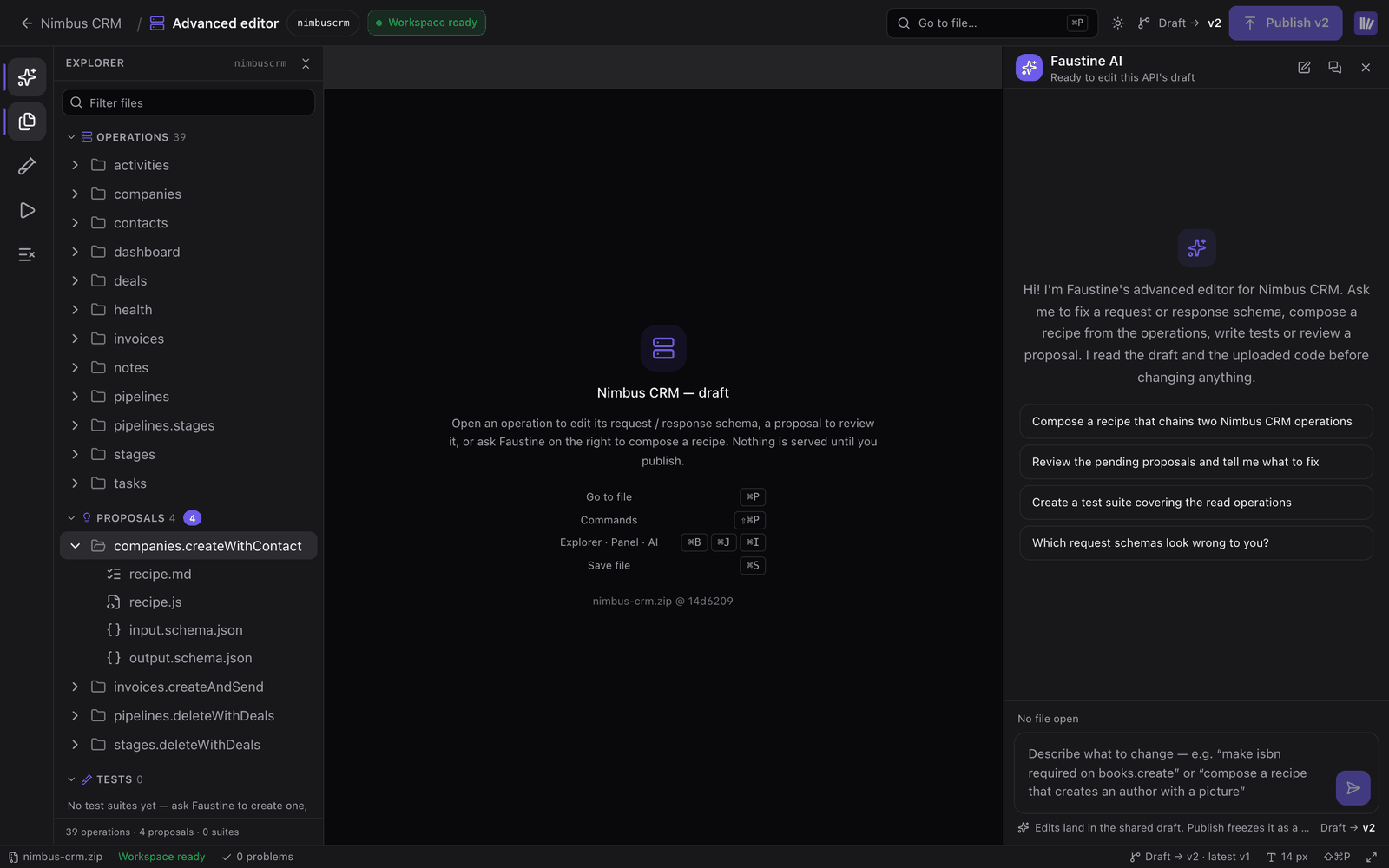
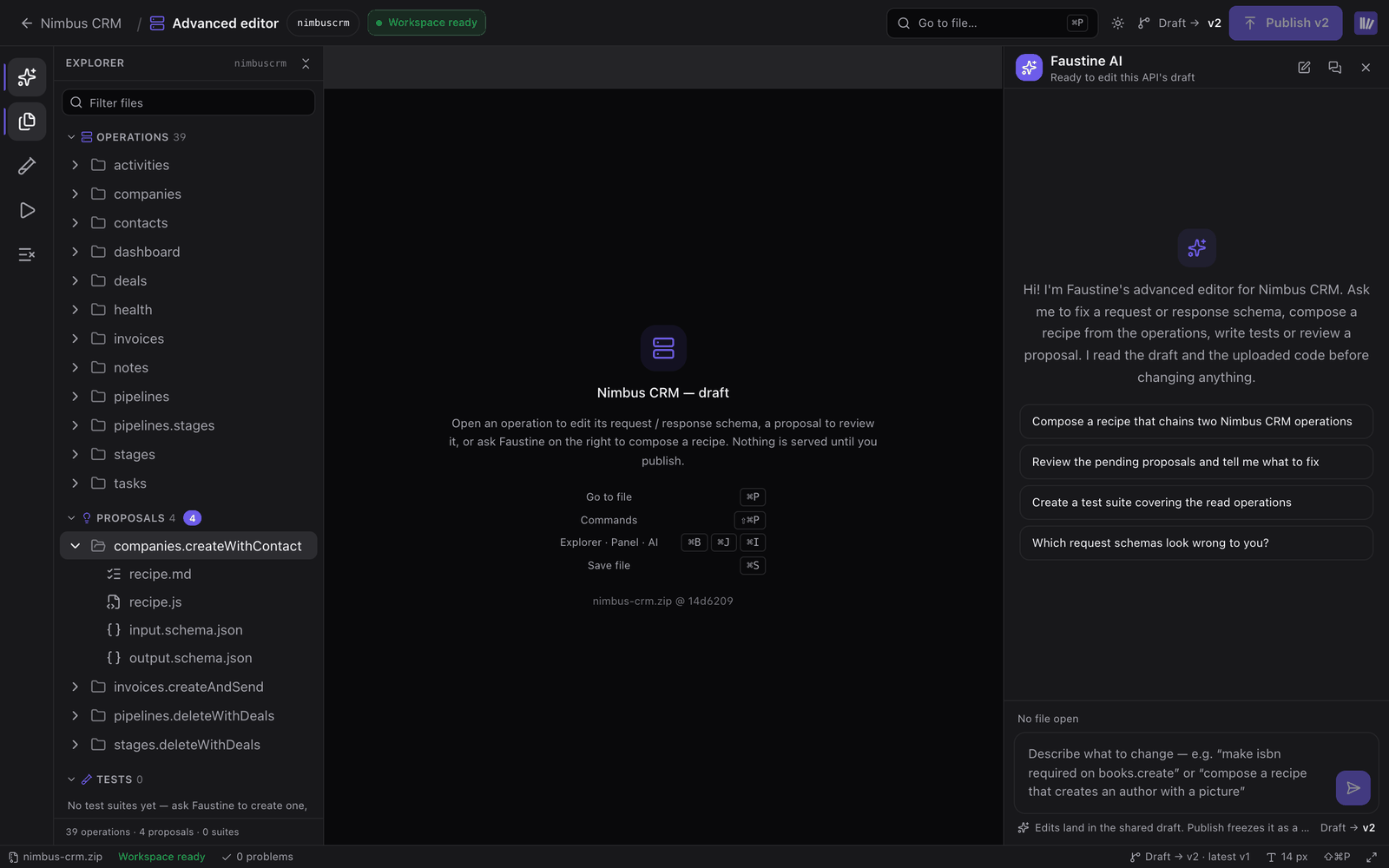
The Advanced editor is a full-screen editor for the draft of an API. It shows the draft as files you can edit by hand, next to a conversation with Faustine AI, which makes the same edits when you describe them. To open it, select Actions > Advanced editor in the API's header.
How it works
The editor works on the same draft as the API's page, so a change made in one appears in the other. Nothing is served to agents until you publish.
Faustine AI reads the API's code, read-only, to ground a change in what the service does. It edits the draft, validates recipes and runs tests against a connection.
The editor is available once the API has a published version. For an API created from a ZIP, the stored code has to be present. The editor does not open while an analysis or a recipe import is running for the API, because both write the same draft.
The explorer
The explorer lists the draft in sections.
| Section | Contents |
|---|---|
| Operations | The operations grouped by resource. Each has operation.md (summary, description, Requires confirmation), request.schema.json and response.schema.json. |
| Proposals | Recipes waiting for your review. |
| Tests | The API's test suites. Each has suite.md and one folder per case with case.md, run.js and, when the case cleans up after itself, cleanup.js. |
| Docs | description.md, the description agents read first, and analysis-notes.md. |
| Repository or Archive | The API's code, read-only. Archive for an API created from a ZIP. |
| Client apps | Client applications attached to the API for importing recipes. |
A recipe is a folder with recipe.md, recipe.js, input.schema.json and output.schema.json.
Edit by hand
Select a file to open it in a tab. Edits to an operation override what the analysis wrote, and a dot marks the fields you changed. To drop every edit on an operation, select Reset to analysis in operation.md.
The Problems panel lists recipe validation problems, invalid JSON and failed saves. Output logs saves, validations, test runs, publishes and the turns of Faustine AI.
The Test view runs the open recipe or operation against one of the API's connections and shows the result with a trace of each step. It refuses connections marked as production.
Edit with Faustine AI
Describe the change in the Faustine AI panel. Some requests it handles:
- Change an operation: "make
emailrequired oncontacts.create". - Write a recipe: "compose a recipe that creates a company with its first contact, and test it against Staging".
- Create and run tests: "create a test suite covering the read operations".
- Explain a failure: "why did the delete case fail?".
While it works, the editor is read-only and shows Faustine is editing. Save your own changes before you send a message. Faustine AI reads the stored draft, not the unsaved text in your tabs.
New conversation starts another conversation. Conversations lists the earlier ones.
Publish
Publish in the editor's top bar freezes the draft as the next version, the same as Publish in the API's header. It is available when the draft has changes and every file is saved. See Versions and updates.
Next steps
- Operations: what each field of an operation means.
- Recipes: composite operations and how they are reviewed.
- Generate and run API tests: create suites from the Tests tab.
- Write a custom sign-in script: the sign-in has its own editor.
Last updated November 13, 2026